I don't know what's going on in KDE, but I assume they've got too many software architects with their heads in the clouds, designing a byzantine mess of abstraction and indirection until even they lose track of where in the code the functionality actually lives. That's all just my assumption though, all I really know is that basic features keep breaking between releases.
For a few years I had kept the last KDE 3.5, but eventually I grew tired of solving compatibility problems with newer programs and I switched to XFCE.
I am still using it because I have never seen any reason to use anything else. There are a few KDE or Gnome applications that I use (for instance Okular or Kate), but I have not encountered yet any compatibility problem with them, so I have no need for one of the more bloated environment systems.
I have been using Linux on a variety of laptops and desktops, all with XFCE and without problems. XFCE does not do much, but I do not want it to do more, it allows my GUIs to be beautiful and to reach maximum speed and it has decent customization facilities, which is very important for me, as I have never encountered any desktop environment where I can be content with its default configuration.
Whenever I happen to temporarily use some Windows version for some work-related activity, I immediately feel constrained in a straitjacket by the rigidity of the desktop environment, which does not allow me to configure it in a way that would please me and would not interfere with my work.
On my main desktop, and also on my mobile workstation laptop, I have used only NVIDIA GPUs for the last 20 years and I have never encountered even the slightest problem with them, at least not with XFCE, so I am always surprised when other users mention such problems, like another poster near this message.
Perhaps my lack of problems with NVIDIA may be explained by the fact that I am using Gentoo, so I always have up-to-date NVIDIA drivers, while the users of other distributions mention having some problems with updating the drivers.
Only in my latest desktop, which was assembled this summer, I have installed an Intel Battlemage GPU, instead of an NVIDIA GPU, because the Intel GPU has increased its FP64 throughput, while the NVIDIA GPUs have decreased their FP64 throughput. Thus I hope that Intel will not abandon the GPU market, even if the intentions of their current CEO are extremely nebulous.
As an example of some very simple customizations, which are trivial on XFCE but surprisingly difficult on other desktop environments, I use a desktop with a completely blank, neutral grey background, without icons or any other visual clutter. I launch applications from a menu accessed with a right mouse click or with CTRL-ESC, and I have an auto-hiding taskbar for minimized applications and for a very small number of utilities, e.g. a clock/calendar and a clipboard manager. A few frequently used applications are bound to hot keys.
Seems like YMMV
I made a conscious decision a few years ago (after trying yet another distro that went tits up), I was going to stop playing around WITH linux and start playing around ON linux for computers that I needed to get actual work done on. If one wants a classic Linux feel that is fairly stable, XFCE and a Debian base is pretty good for that.
I am a little concerned about the whole Wayland situation, since the XFCE team seems to be taking a fairly anti-Wayland stance at the moment. It has forced me to manually move from Wayland back to X11 on new installs to get a relaible experience, which is not reliably straightforward and seemingly may become more problematic as time progresses.
I've been using Wayland as my daily driver for a few years now. Any issues I have are from my window manager or apps and not wayland itself.
I have long been running Linux on headless systems but Windows on my daily, and only recently switched to dailying a Linux desktop. I started with Kubuntu LTS, it was easy to switch from Windows (shortcuts, UX) but it felt too "complicated" and distracting, not very good looking OOTB and had some graphical glitches here and there (w/ nvidia).
Now I'm on Fedora GNOME and I like it with its clean and modern design language. Very few extensions later and I can see myself being productive with it.
1. Very little can be customized. 2. Extensions that let you customize things are unlikely to work in the next release because the APIs keep changing. 3. GTK apps have enormous padding around everything that eats my precious screen space. 4. It's heavier and slower than KDE. Probably thanks to all the embedded JavaScript. 5. Its' "my way or the highway" approach to workflows is abrasive.
I think we face the prism of the internet. Since it is the default on so many distros, almost everyonr has been faced to it at some point and those who don't like it are very vocal about it. Those who have been presented Gnome 3 as their first Linux Desktop and have been liking it have had no reason to try out other desktops and will be less vocal against them.
One problem is I think Xfce has no paid developers, it's all spare time.
As long as Xorg is around I hope Xfce never deprecates X.
"It is not clear yet which Xfce release will target a complete Xfce Wayland transition (or if such a transition will happen at all)."
His points about how they do not feel the need to change does seem correct, and it is amazing. As a windows user you should be able to figure it out pretty easily!
Unlike Gnome, Xfce is pretty un-opinionated; I can do away with everything that annoys me in Gnome, macOS, and Windows, while keeping the good bits, and having many more good bits none of these offer.
Hardly GB. You don't have to lie to make a point.
I can't say the same for Gnome or KDE, and that's no slight against either (I happily use the latter on my more recent work laptop).
Having said that VSCode runs perfectly fine on the T440s too, so Electron and JavaScript aren't the fundamental reason those DEs are too demanding to use.
tbh i kinda miss the 6hr battery life
xfce and gnome are by far my most used desktops and i probably would put effort into using xfce more if it supported wayland etc but i guess i like to tinker with newer stuff
to me the only reason to use xfce would be if i wanted to use a lightweight desktop app on a borderline useless computer, cause once you start trying to load websites you're going to blow through so much memory that desktop environments are irrelevant
Currently gnome-shell is taking 135MB of ram, with other gdm/gnome related background services ranging in 700KB-3.2MB each to like 20MB together.
And it's as snappy as my sway config I log into depending on the needs.
I just spammed virtual desktop changes, opening Files, browsing, and it's as snappy as it is in sway.
I think gnome is getting a lot of unfair performance criticism online as it looks like something that would be slow. Maybe it was slow back in the starting gnome3 days. Maybe there are some heavy differences in how distros package it? (arch btw)
... though I will say that from my experience it's the KDE that's the slow one. I don't have it installed currently on this machine but had in the past and have it on my steam deck(which is stronger then this laptop). It feels sluggish and I have this bouncing cursor wait animation in my head right now just thinking about it.
I just don’t see the point in posting something like this aside from baiting an argument. There’s nothing about JS or Electron in this article.
Just in case you want an even more vintage experience.
There's also people trying to keep the SGI experience alive, but this one is a clone: https://docs.maxxinteractive.com/
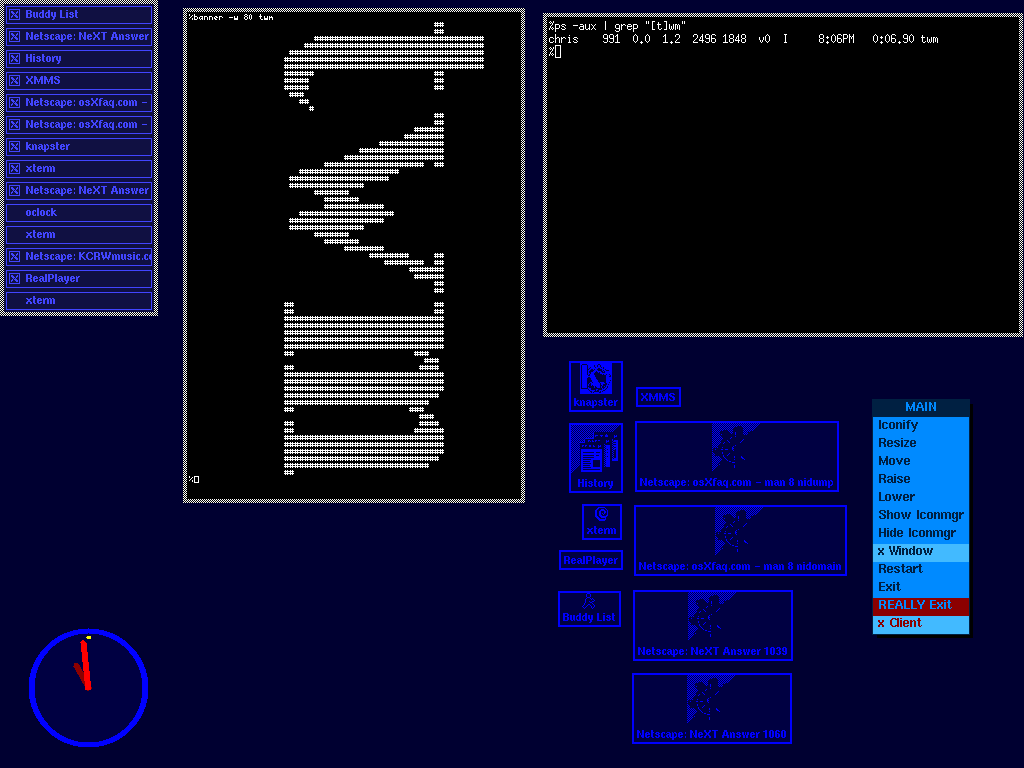
As for as early xfce check out https://xteddy.org/xwinman/screenshots/xfce-default.jpg (I'm actually on that site from 25 years ago: https://xteddy.org/xwinman/screenshots/twm-cjmckenzie.gif)
Just to clarify, it's not about "vintage experience". Xfce is deceptively simple - it gets out of your way and let you do whatever you wish. The original settings are sensible as they are, but you also can customize it as you wish. It is pretty un-opinionated.
https://fastestcode.org/emwm.html
I won't consider XFCE vintage but sane, boring but working. Vintage would be a vanilla FVWM, or MWM, or TWM/CTWM. But not so much, as things come full circle.
EvilWM would look outdated and crappy under Slashdot threads in 2001 or close, because it looked something from the 80's, altough some bright users stated that it saved tons of RAM for applications.
Its clone CWM nowadays it's highly praised by OpenBSD users as a no-bullshit, floating-no tiling madness window manager (and by me too). It works, it can work without any mouse for every window action (even resizing), it doesn't need dmenu, you can use virtual desktops and search between opened windows with autocompletion. So, forget about RSI's, your hands can literally rest.
https://wayback.freedesktop.org/
If I have to suffer that in a near future, I want my CWM setup working like before.
X "just works" well enough for too many use cases
(25 years ago: https://web.archive.org/web/20010301045035/https://sourcefor...)
Once you get down into it, it's fine. https://sourceforge.net/p/cdesktopenv/wiki/LinuxBuild/
I mean ok, it's fine.
You should see github. /s
> I stopped writing posts like this for years, out of fear of how people from specific desktop environments would respond.
I personally also quite liked Cinnamon with Linux Mint, which was similarly pleasant out of the box, but I’m also sorry that the author had to deal with people I guess getting kinda heated over their preferences?
Desktop Zoom (Xubuntu/Kubuntu): In Xfce (Xubuntu) and KDE (Kubuntu), Alt + Scroll is the default shortcut to zoom in and out of the entire desktop. This is an accessibility feature used to magnify specific parts of the screen. convert -size 24x24 -gravity center -background yellow -fill black\
label:$1 ~/.local/share/icons/$1.png
file=~/.local/share/applications/$1-noko.desktop
echo [Desktop Entry] > $file
echo Name=$1 >> $file
echo Comment=noko-made >> $file
echo Exec=$1 >> $file
echo Terminal=false >> $file
echo Icon=~/.local/share/icons/$1.png >> $file
echo Type=Application >> $file cat <<EOR > "${file}"
[Desktop Entry]
Comment=Bash has heredocs.
EOR
Write correct code by default, always, otherwise it will end up somewhere you care about.
The best way to do that is to avoid shell, as a language that makes writing insecure code the most convenient.
(The original intent looks like it's making a desktop/launch icon, e.g. you might call it with "firefox" as an argument and it would put its logo into an application starter, provided a logo of the correspond name is already in the place the script expects.)
make-icon ABCD:
1) Makes a small picture ABCD.png from the first letters of the string "ABCD".
2) Makes ABCD application icon to using the picture ABCD.png.
3) Moving youres pointing device on that icon and pressing appropriate button now executes ABCD.
"convert" is from Imagemagick of course.
Don't get me wrong, I am certainly not defending it. I was a little heart broken as I really liked Gnome 2. However, I tried to be optimistic with their plans overall.
(I think the early days on Gnome 3 featured something call Gnome Legacy to keep that Gnome 2-ish feel. I likely stayed on that for a while)
I still use Gnome 3 today... but Xfce would certainly be my second choice.
That said, there are definitely areas were Gnome could be improved. Some of them are understandable and probably stem from a lack funding / devs. Others less so, like removing the options to scale / stretch / center the wallpaper w/o installing "Gnome tweaks".