Posted by dougdude3339 3 days ago
One super helpful tip I got from an actual trained draftsman is to use harder pencil lead for your layout and construction lines. Like 6H to 9H. You'll get a much lighter line to erase later. It'll also hold a finer point for longer.
I prefer lead holders to wooden pencils. They take 2mm lead, and you sharpen them with a lead pointer. K&E pointers are readily available on eBay, as are the abrasive cups that do the actual sharpening. The plastic trash can ones will get the job done, but are unsatisfying from a tactile standpoint.
A decent lead holder is a trick to find. The Alvin one I bought is too loose and the lead slips up into it. The Staedtler one doesn't close tightly at the tip and support the lead well enough to prevent breaking. The Prismacolor one is satisfactory, and I inherited a vintage one that I love from the aforementioned draftsman.
I recommend an erasing shield to make revising your pencil work without erasing too much. Another person I know with an art background tipped me off to putting tracing paper over your main drawing to iterate on details before committing them to paper to reduce erasing.
Drafting vellum is pretty forgiving of erasing, but it has a toothier surface that can get a little dingy if you're working on a drawing for a while. I've never tried Bristol board; I don't need immaculate drawings for reproduction, just good enough ones to build from.
Happy drawing. It's an immensely satisfying process for me. If you're detail oriented, you'll likely find it enjoyable too.
https://www.homedepot.com/b/Tools-Hand-Tools-Marking-Tools-L...
I took woodshop too. The shop teacher seemed to enjoy scaring us with stories of the students that goofed off in shop to horrific consequences. That's also where I learned to be careful with air compressors around open wounds.
An eraser shield is a good addition to the tools list - that came in handy often.
Love the tracing paper tip - that’d be helpful to remove the digital aspect of taking a picture a digitally sketching on top.
I like the basic Pentel P205/207/209 pencils, but the basically disposable plastic Bics would probably be well suited to the short, brutal life they'd lead in the shop.
Loved the article and the joy of the process. The outcome is spectacular and shows the care that went into it.
Love hand-drawn viz, recently I’ve been looking at the French National Institute of Statistics and Economic Studies (INSEE) and they have a great collection of all their reports, from pre-1900s to now. I especially appreciate this beautiful one about people with mental illness in the Seine department… from 1889. The typography is chef’s kiss https://www.bnsp.insee.fr/ark:/12148/btv1b52510983q/f49.item...
(After years of reading Hacker News this post motivated me to finally make an account and upvote. Data viz is so fun)
An amateur of old hand drawn maps (Michelin road, and older).
[0]: https://books.google.com/books/about/Semiology_of_Graphics.h...
I am willing to suck it but the kerning is still killing me. (I love everything about this btw)
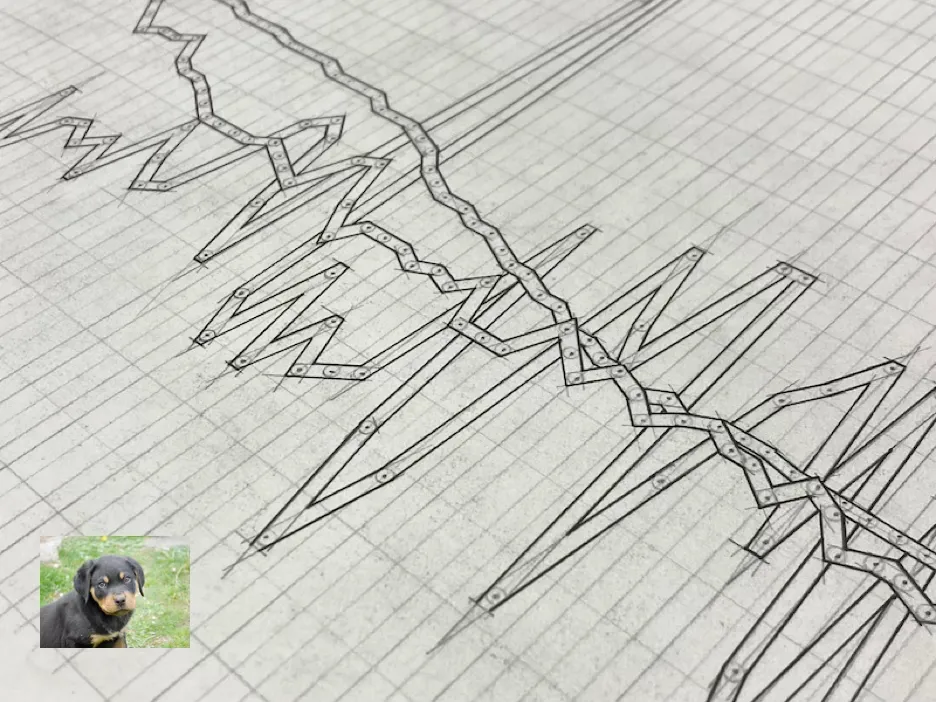
I'd also wish more graphs would come with this level of detail as this image from the article [0]. It would be so useful to see precisely where the data points are and how the line and interpolation are constructed.
[0] https://www.dougmacdowell.com/images/hand-drawn-data-outline...
My book suggestion is more illustration than technical drawing but still has a 1940s/50s vibe: Thinking with a Pencil by Henning Helms. Covers illustrations, tracing, tables, maps and diagrams as well as 3d sketches.
I gather that Tufte was influenced by John Tukey's 1977 book Exploratory Data Analysis which introduces the box and whisker plot, dot plot and so on.
As to software, another poster has mentioned Tikz (usually used with LaTeX) and yes it is amazingly flexible and can produce just about any kind of plot (or diagram) you want. But there are older tools such as the groff (GNU Troff) system's pic and a pre-processor for pic called grap which is much more barebones. The latter was also influenced by Tukey's book. The groff/pic/tbl/eqn/grap install is something like 30Mb and it is available in most Linux distribution package repositories.
https://www.lunabase.org/~faber/Vault/software/grap/example/
Oh and remember star charts for astronomers! Many hand plotted before the photographic surveys were produced. Norton's Star Atlas is a famous one (prior to the 2000.0 epoch edition) that was hand drawn.
Since I usually cannot spend 50 hours on a chart, I wonder why it is so hard to make decent graphs with the usual Office packages. They make it easy to create something and for others to contribute, but have really bad defaults. Even when you make the effort to adjust, you can still tell the program. And templating does not really work either.
What do you use?
I love it.
The peak irony is that most of us work in a field that exists so that people don't need to do that stuff for 50 hours.
In the mid-2010s, I was interning at the German federal statistical office. Some of the team assistants were there since the 1980s/90s and had still learnt to use those tools as part of their vocational training. They also showed me the tools and the instructions for drawing exactly aligned tables by hand and the resulting bound sets of tables with hundreds of pages. Completely mind-boggling how much time they must have spent on a single project, now all automated away.
Unfortunately I do not see specific discussion of how to make the lines a consistent thickness. It does have notes on how to sharpen your pencil and how to use a carpenters spline to draw smooth curves though.
If you're inking your drawings, you probably don't need to worry all that much about the exact line width and consistency of your pencil work.
N.b. I don't ink my drawings. I've used drafting pens a couple times to experiment, but it's not part of my regular workflow.
https://www.jetpens.com/blog/The-Best-Technical-Drawing-Pens
A "ruling pen" would help. It's like a fountain pen where you can adjust the width of the ink.